Agent Forms
A form your agent hands over at exactly the right moment
Instead of a static menu, your AI agent offers a native multi-screen form the instant the conversation calls for it — to book, to apply, to collect what it needs — captures a clean lead, and keeps chatting, on WhatsApp, Telegram, Messenger, or your website widget.
See it in motion
The agent reaches for a form
The agent decides when a form fits and hands one over seamlessly, the customer fills in the form without leaving the thread, and the answers/product preview come straight back as a recommendation.
The agent offers it
A question comes in and the agent decides a form fits, so it sends one as a card in the thread instead of asking twenty questions in a row.
One tap, and it opens in the chat
No link to a landing page and nothing to install — the form rises over the conversation the customer is already in.
Seven screens, filled in place
Choices, a photo upload and an email address at the end — each screen shaped by what has already been answered.
The answers do something
Submitting drops the customer back into the chat, where the agent uses what it just learned. Here, that is a product match.
Build your own agent
Publish one flow to four channels
Build it once and push the same form live to WhatsApp, Telegram, Messenger, and your website widget — each going live independently.
Use Cases
What teams build with Agent Forms
Match a shopper to the right product
A few questions in the chat — skin type, size, budget — and the agent recommends from your own catalog. The answers do the choosing, so nobody scrolls a hundred products hoping.
Collect quote and order requests
Capture the spec, the quantity, and the contact in a structured form the moment a prospect asks for a price, so sales gets a clean lead instead of a chat transcript.
Take returns and exchange requests
Order number, reason, and a photo of the item captured in one structured form instead of six back-and-forth messages — and joined to the conversation it came from.
Capture pre-orders and back-in-stock interest
When something is sold out, the agent takes the variant and a contact in a form, so you have a list to reach out to the day it lands.
Book a demo or appointment
The agent qualifies the conversation, then hands over a date-and-time form to lock in a slot — no back-and-forth, no scheduling link to chase.
Take applications and intake
Job applications, loan or membership intake, onboarding questionnaires — multi-screen forms with uploads and branching that collect everything in one pass.
What makes it different
Not a link to a form — the form, inside the chat
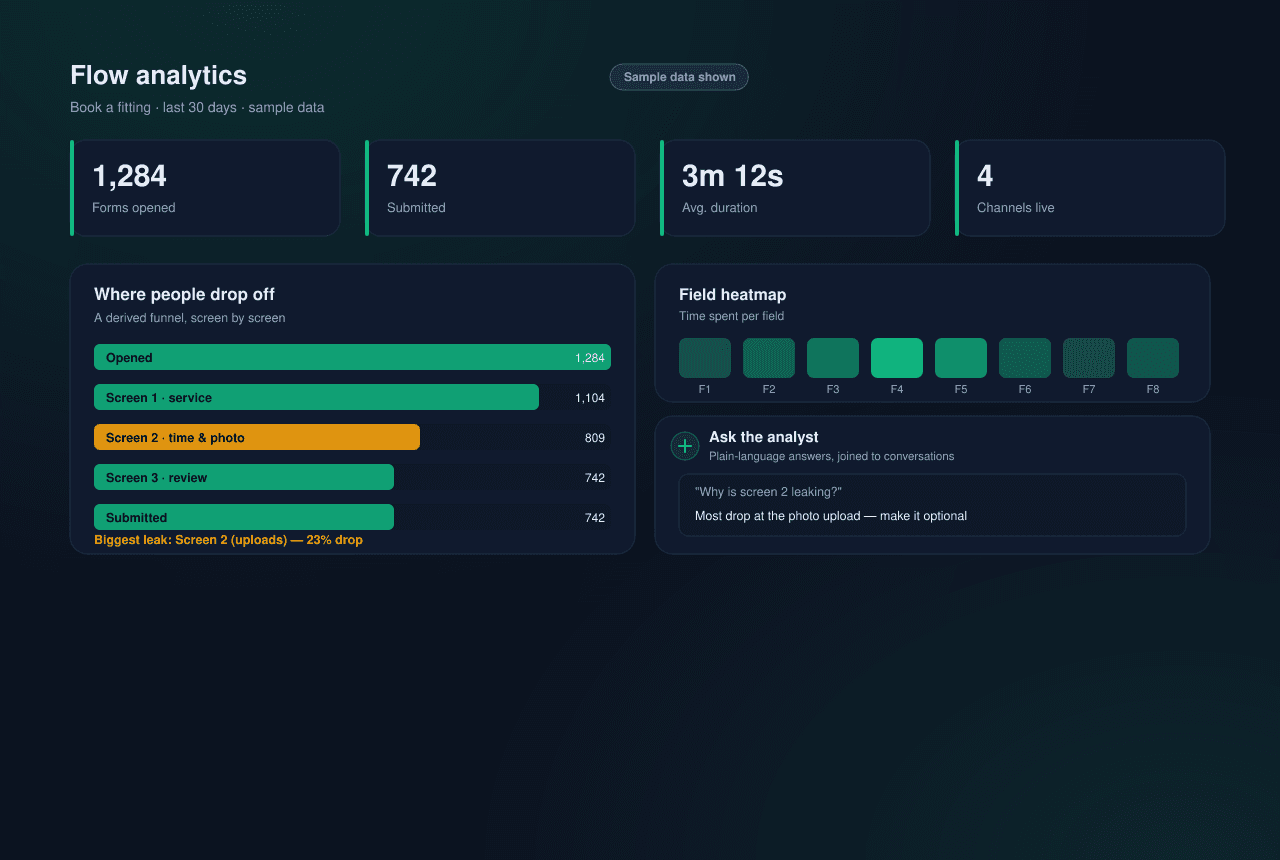
Most lead capture still sends people to a separate page and hopes they finish. This form lives in the conversation the agent is already having, then shows you exactly where it leaks — so you can fix it.
The agent decides when to ask
The form is a tool the agent picks up on its own. An explicit request gets it straight away; someone just circling the topic gets one confirming question first — so you collect a lead at the moment of intent, not by interrupting.
Describe the form, or hand over a PDF
Type what you want in plain language, upload a PDF, or drop in a screenshot of a form you already use, and the AI drafts it. Then keep talking to it — “make it one screen and add a consent checkbox” — and it rewrites. Nothing saves until you say so. On every plan.
Any form the moment needs
21 field types — text, single- and multi-select, date and calendar pickers, photo and document uploads, opt-ins — plus if, switch and repeat logic. Split it across as many screens as it takes and route between them, so each person answers only what applies to them.
One flow, four channels, A/B the wording
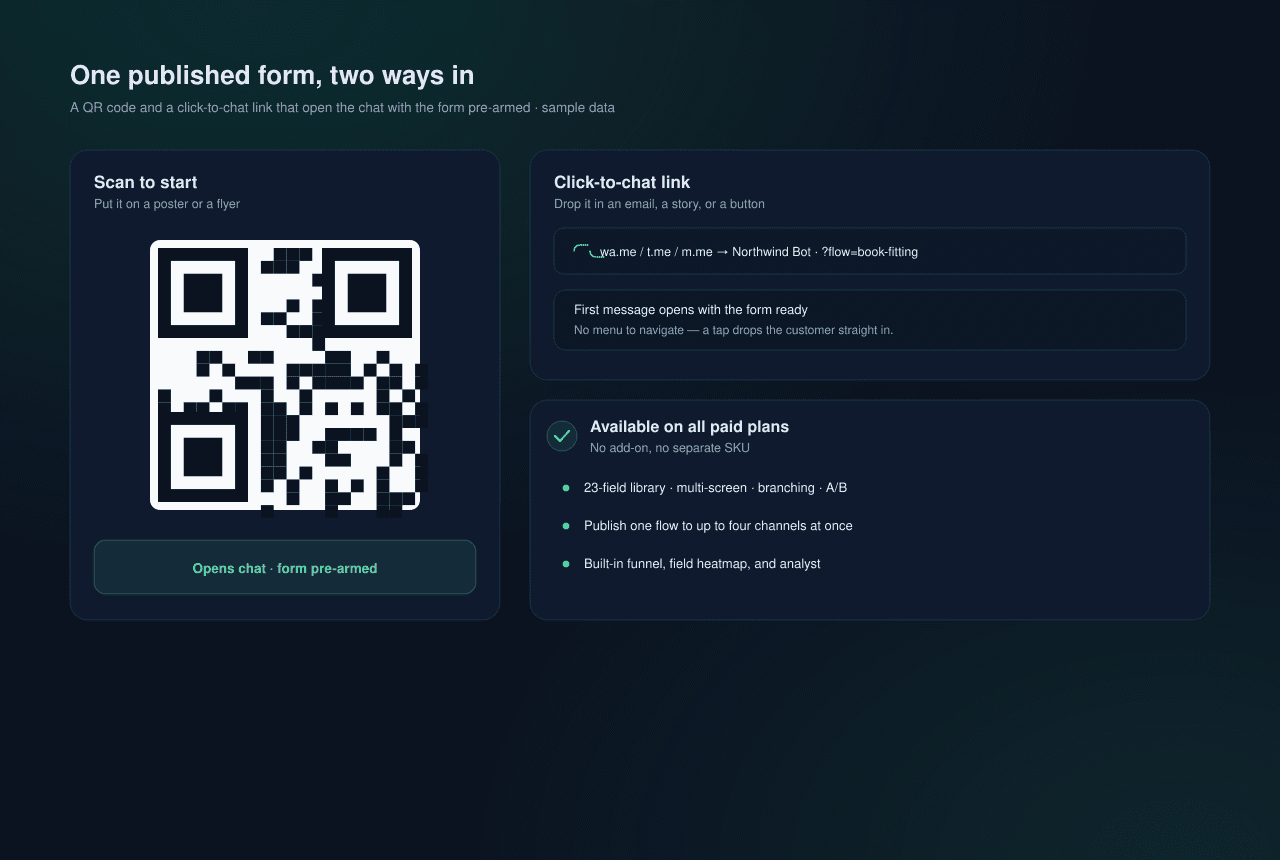
Build it once and push the same form to WhatsApp, Telegram, Messenger and your website widget, each going live independently. Run A/B variants to find the wording that converts, with results split cleanly per channel and version.
It looks like your brand, not a form template
The form carries your accent colour and your logo, derives a palette that stays readable in light and dark, lays itself out right-to-left where the language needs it, and finishes on your own completion message instead of a dead end.
The lead lands scored, and reaches a human in seconds
Every submission arrives with an AI score and the reasoning behind it, pings the flow's owner in the panel, and links straight to the answers — where you can write back by hand in the same thread, without moving the conversation to another tool.
Free on every plan, including the trial
The field library, multi-screen branching, A/B variants, multichannel publishing, launch links, AI drafting and the built-in analyst are included on every plan — not a separate SKU. Trial and Starter run one published form in one language; Plus and above lift both caps.