Retrieval / RAG
Answers grounded in your own knowledge
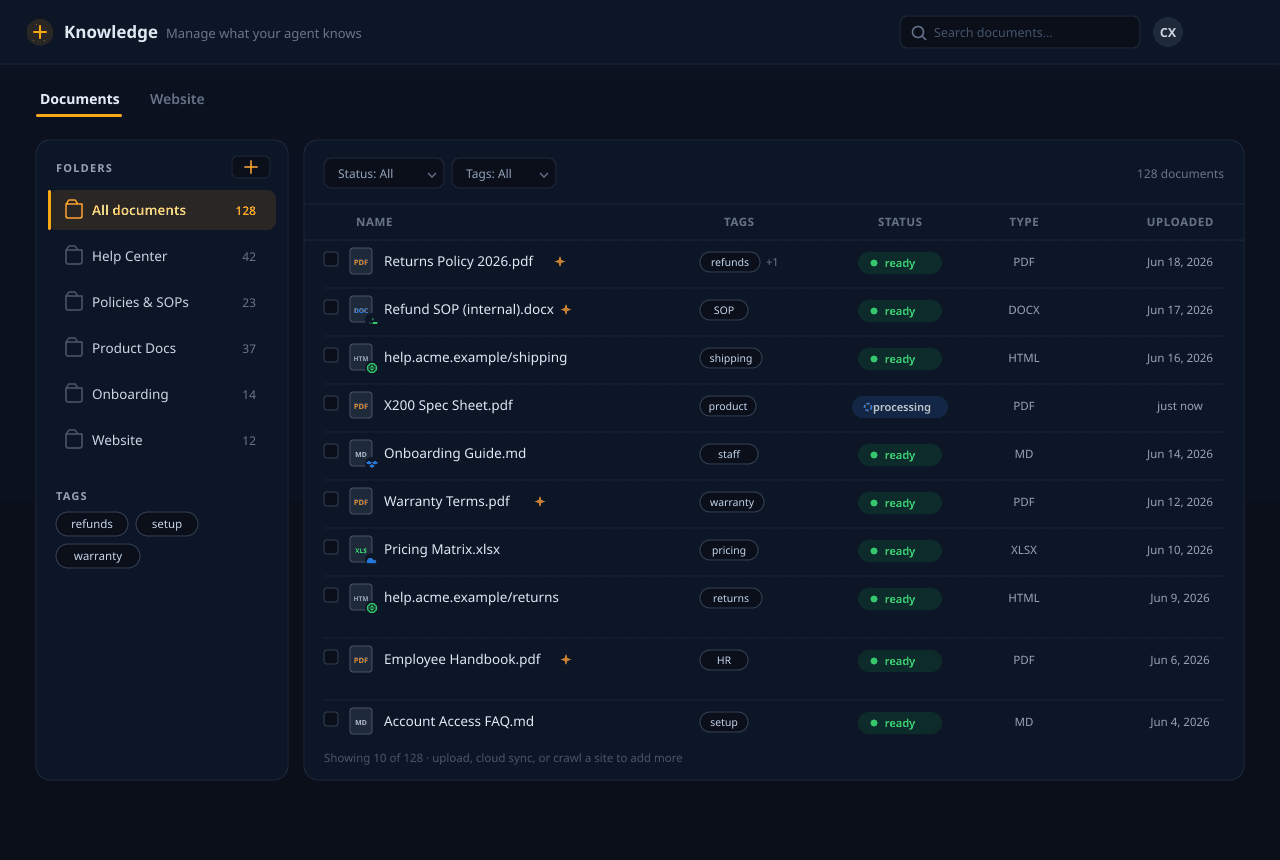
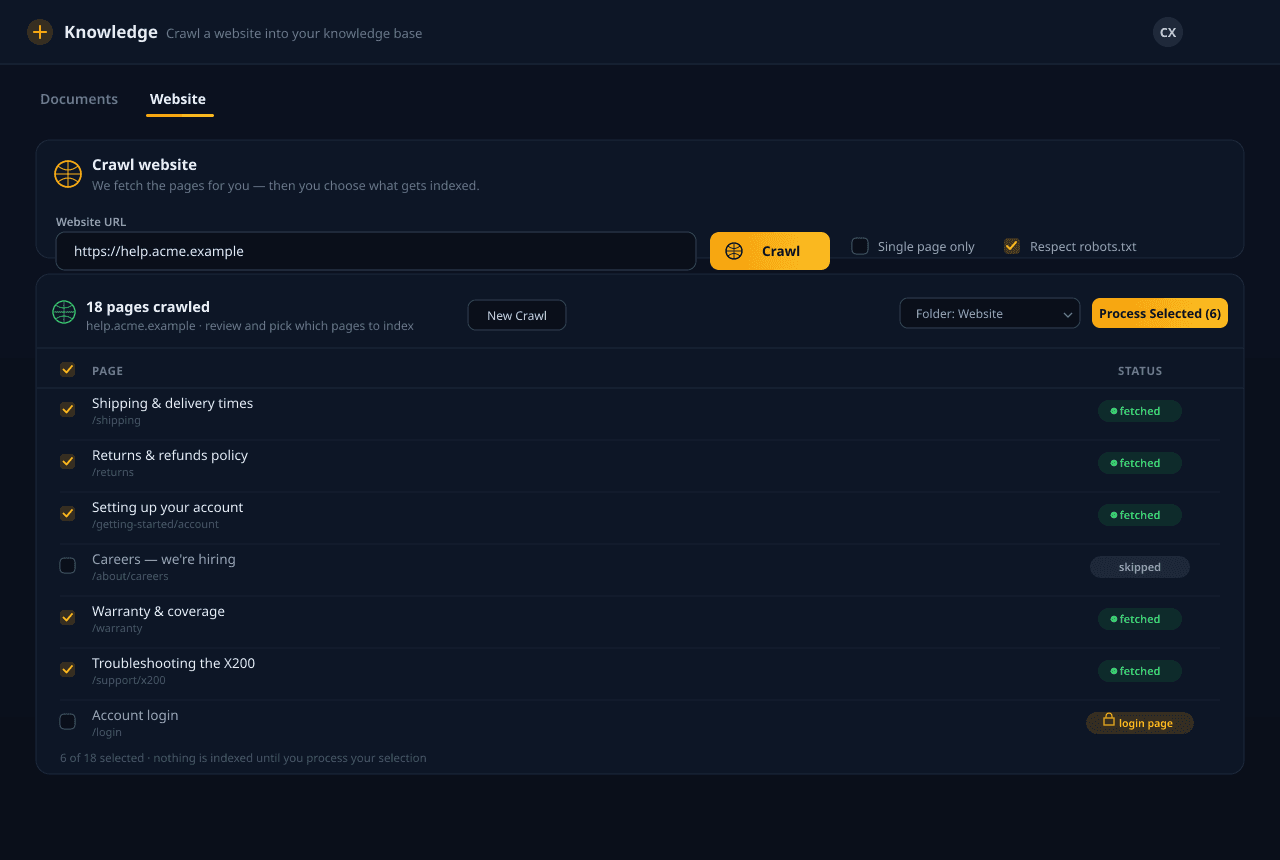
Upload your docs, point us at a website, or sync from cloud storage. We parse, chunk, enrich, and embed everything — then retrieve the right passages at query time so your agent answers from what you actually wrote, not from guesses.
See grounding in action
Answers from your sources, not guesses
Ask the agent a question and watch where the answer comes from — your own uploaded docs, sites, and files, never a made-up reply.
Your knowledge agent
Ground your agent in your own knowledge
Ground your agent in your own knowledge
What the retrieval stack does
Ingest anything
PDFs, Office docs, Markdown, HTML, and whole websites — plus Google Drive, Dropbox, OneDrive, and Box sync. On paid plans we even read scanned and image-based PDFs, complex tables, and handwriting that plain parsers miss. We route each file to the right parser and keep everything in lockstep with the source.
Contextual chunking
Documents are split into overlapping, hierarchy-aware chunks, and each chunk is enriched with a short context summary before embedding — so a fragment still makes sense on its own when it's retrieved out of order.
Hybrid search
Every query runs both dense vector search and keyword (BM25) search in parallel, then fuses the results — catching both semantic matches and exact terms like product codes or error strings that pure embeddings miss.
Reranking
A cross-encoder reranks the fused candidates against the actual question, pushing the genuinely-relevant passages to the top before they ever reach the model — fewer near-misses, sharper answers.
Parent context
When a small chunk matches, we pull in its surrounding parent section so the model sees the full thought, not a clipped sentence — grounding that reads like it understood the whole page.
Tenant-isolated retrieval
Every search is scoped to your organization. Your knowledge base is never mixed with another tenant's, never used to train models, and is wiped on request.
From upload to grounded answer
Indexing happens once when you upload; retrieval happens on every question. Higher plans unlock deeper query modes that add steps like decomposition and broader reranking — trading a little speed for more thorough answers.
Parse & chunk
Each source is parsed by format and split into hierarchy-aware chunks with overlap, preserving headings and structure.
Enrich & embed
Every chunk gets a short context summary, then is embedded and upserted to the vector store — cached so re-indexing stays cheap.
Analyze the query
Incoming questions are rewritten and, on deeper tiers, decomposed into sub-queries so multi-part questions retrieve the right evidence for each part.
Hybrid search & rerank
Vector and keyword results are fused, then reranked by a cross-encoder against the question to surface the strongest passages.
Assemble & answer
Top passages get their parent context attached and are handed to the model, which answers strictly from the retrieved evidence — with cached results for repeat questions.
Where grounded answers earn their keep
Built for teams whose answers have to be right
Help-center deflection
Point the agent at your help center and product docs so it resolves the common questions on its own — accurately, from your published answers, before a person is ever needed.
Internal policy & SOP Q&A
Load your handbooks, policies, and standard procedures so staff get a straight answer from the approved source instead of hunting through a shared drive.
Product-docs answering
Feed in spec sheets, manuals, and release notes so the agent answers detailed product questions from the real documentation, not from a vague approximation.
Onboarding & training knowledge
Turn your onboarding material into a knowledge base new hires can ask in plain language — grounded in what your team actually wrote down.