Telegram
Telegram, with the storefront your customers expect
Build an in-bot storefront with a multipage product catalog, per-product AI chat, and lightweight order-taking — right inside your Telegram bot. Plus everything Telegram already does best: live streaming replies, voice notes transcribed in any language, rich formatting, personalized greeting links, and a Premium-user co-pilot mode that answers DMs from your personal account.
See it in motion
From “where is my order?” to delivered, inside Telegram
A real conversation, not a mock-up. The agent checks who’s asking before it shares anything, reads live status from your store, then keeps the customer posted — shipping and delivery updates arrive on their own.
The question arrives mid-conversation
Same bot the shopper was already browsing in. Nothing to install, no ticket to raise, no page to go and find.
It verifies before it answers
Order number plus the email or phone from checkout — and it will not read the status out until both match.
Live status from your store
Payment, fulfillment and the order total as they stand at the moment of asking, rather than a promise to check and come back.
Then it follows through
One tap opts them into updates for that order, and the shipping and delivery messages arrive later in the same chat.
Opens @cuneiform_customer_support_bot
Turn your Telegram bot into a full in-app storefront
Build a polished, multipage product catalog and publish it to your Telegram bot — it opens right inside Telegram, with per-product AI chat and lightweight order intake. The same storefront can serve a Facebook Messenger Page too. No BotFather setup.
- Composable, multipage catalog — many block types, six themes, drag-and-drop composer.
- Per-product AI chat scoped to each product's docs.
- Order intake your way — inquiry or cart to your inbox, or hand off to your own Shopify checkout.
- Free on every plan, including Trial.
It opens inside the chat
The shopper taps the bot’s menu and the storefront rises over the conversation. Nothing to install, no browser tab, no outside link they have to trust first.
A real catalog to browse
Your own products, prices and photos across several pages — collections swap from the bottom tabs, the way a native app moves rather than the way a chat scrolls.
Ask about any product
“Ask about this” opens a chat scoped to that product’s own docs, and it answers from the live price and stock rather than a brochure line.
Cart, checkout, confirmed
Add to cart, pay at your own Shopify checkout, and the order confirmation arrives back in the same Telegram thread.
Opens our own in-bot storefront on Telegram
What you get
Live, streaming replies
No more 5–15 second silence. The bot's reply lands within milliseconds and grows in place as your agent thinks out loud — using Telegram's native live-update support where available, with a smooth fallback elsewhere.
Voice messages, transcribed automatically
Voice notes are transcribed with studio-grade accuracy and answered as if they were text — language auto-detected from the conversation, so short clips in any language stay accurate. Works on every plan, including the free trial.
Rich, readable bot replies
Bold, italics, code blocks, lists, and links render exactly as your agent intended — no broken markdown or stray asterisks. We handle the formatting quirks so every reply stays clean.
Personalized greeting links
Every t.me/your-bot?start=your-code link can carry a custom welcome and up to three suggested replies. Click-through, unique users, and conversation conversion are tracked per code.
One-tap reactions become feedback
When a customer reacts with an emoji, the bot reads the sentiment behind it — positive, negative, or neutral — and acknowledges in the right tone, so you get a feedback signal without asking.
Instant slash commands
/start, /help, /reset, and /new reply instantly with zero AI cost or latency, and show up in Telegram's native command menu.
Telegram Premium — your bot answers DMs from your personal account
Founders, creators, and small teams get DM'd on their personal Telegram all day. Enable Business Mode, add your bot, and let it answer with the same agent your customers know — streaming replies, voice notes in any language, and the personality you trained. The moment you reply manually, the bot steps aside until the conversation goes quiet again.
- Available on every paid tier — including the free trial
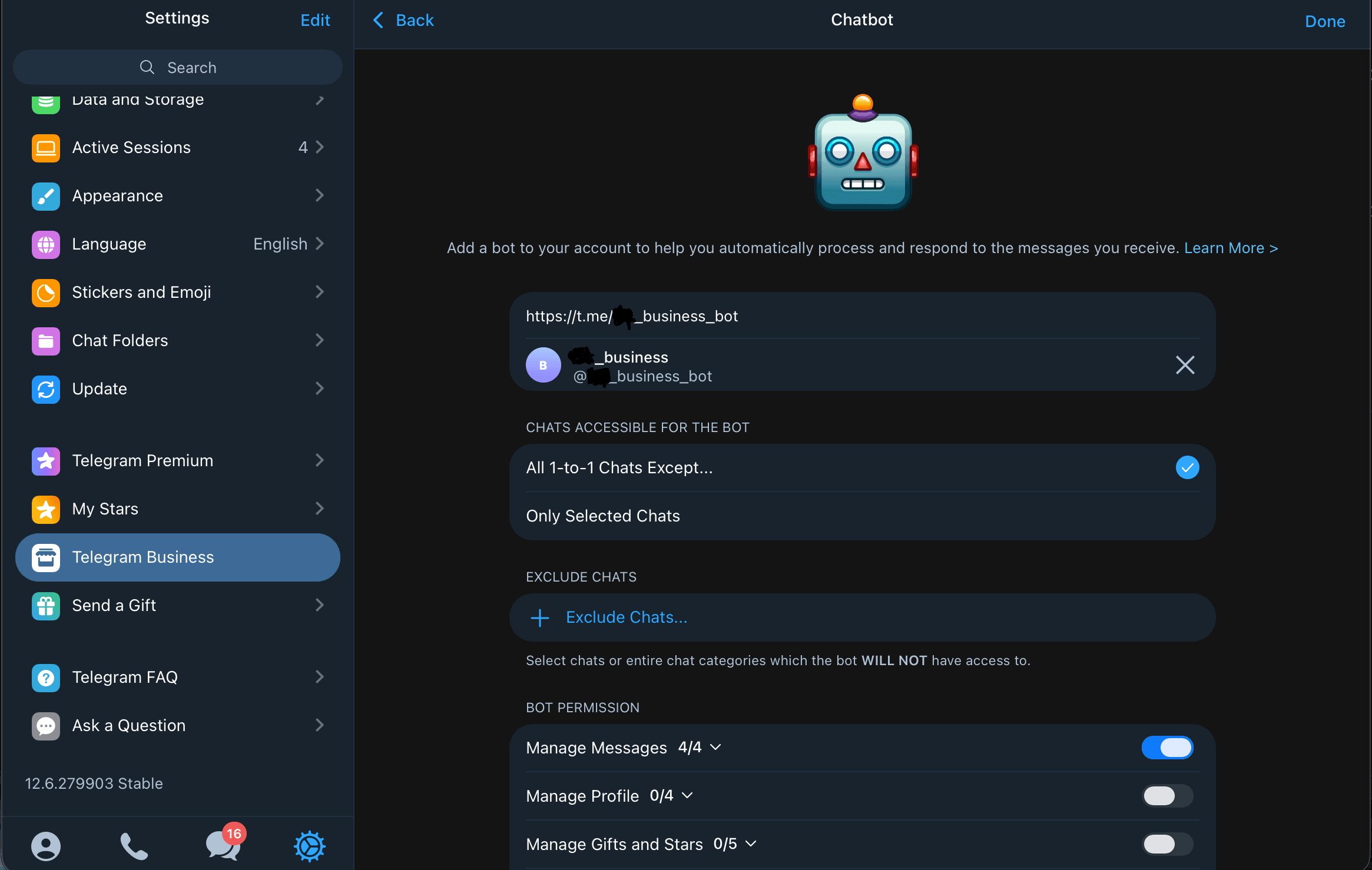
- Activate in seconds — Settings → Business → Chatbots, then /start your-code
- Manual takeover any time — your reply pauses the bot; it picks back up once the chat goes quiet
- Connection-level kill switch from the admin panel
Setup walkthrough
Two taps inside Telegram. No engineering needed.
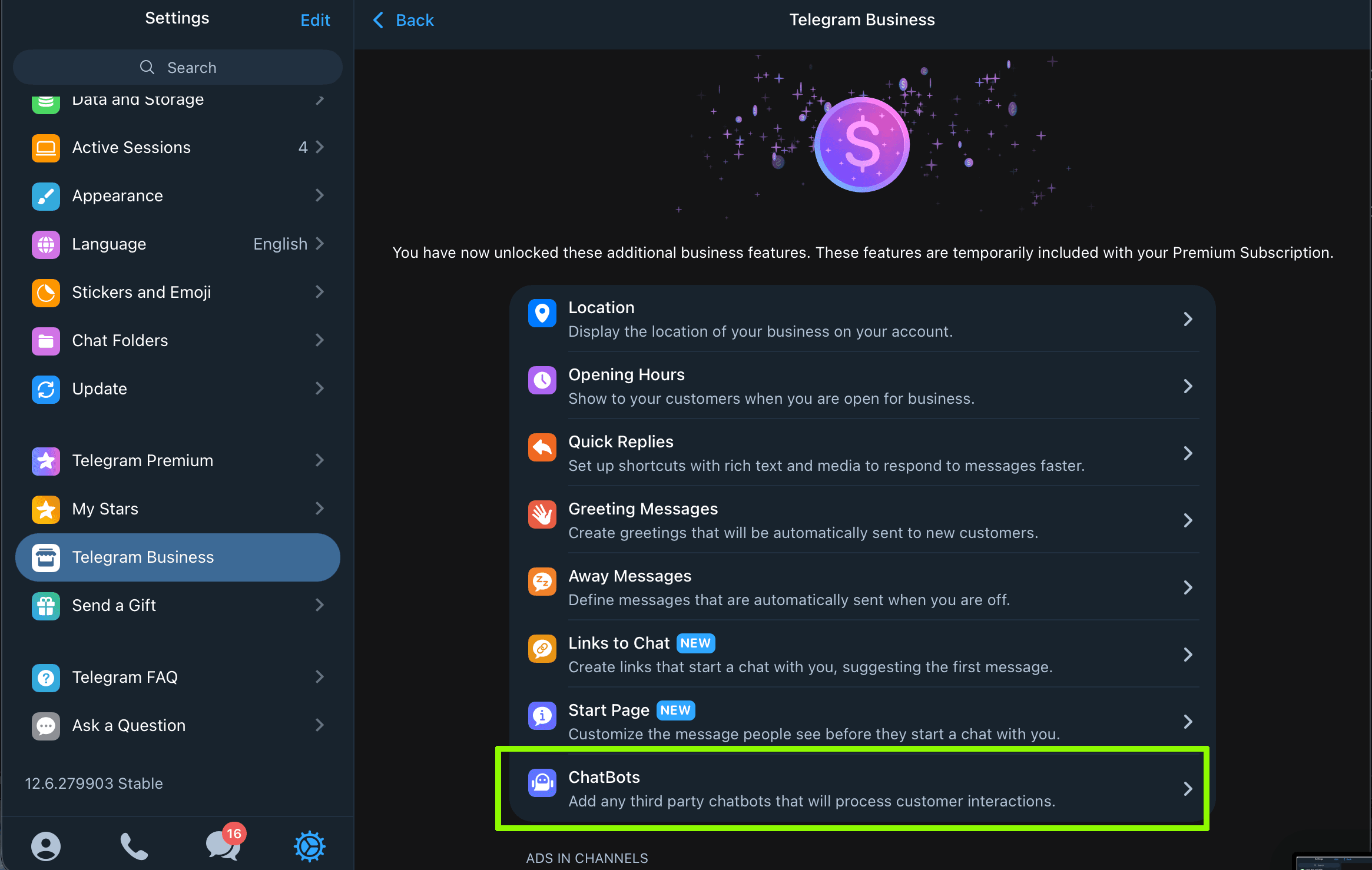
Open Settings → Business → Chatbots
Telegram surfaces Chatbots once Premium is active. The row sits in the standard business features list.
Paste your bot link, /start your code
Add @your-bot, then DM /start your-code to bind your account. The bot answers DMs in your name until you reply manually.