Agent Flows
A form your agent hands over at exactly the right moment
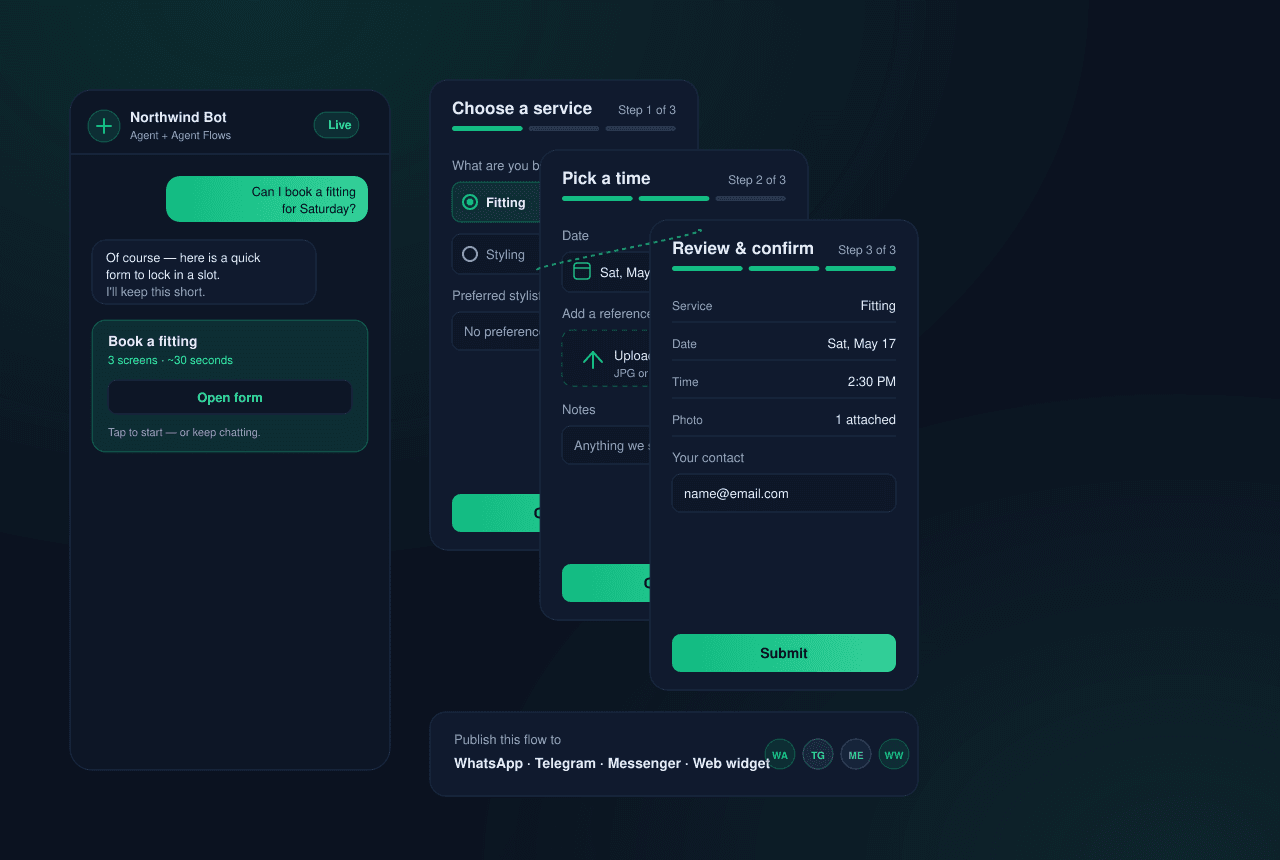
Instead of a static menu, your AI agent offers a native multi-screen form the instant the conversation calls for it — to book, to apply, to collect what it needs — captures a clean lead, and keeps chatting, on WhatsApp, Telegram, Messenger, or your website widget.
See it in motion
The agent reaches for a form
Watch the agent decide a form fits, then hand one over without breaking the conversation.
Northwind Bot
Build your own agent
Build your own agent
What Agent Flows give you
The agent reaches for it on its own
The form is a tool your AI agent can pick up. When a booking, an application, or a quote request comes up, it sends a real form instead of wrestling with free text — no rigid menu, no handoff, and the customer never leaves the chat.
Any form the moment needs
A 23-field library — rich text and headings, text inputs, single- and multi-select choices, date and calendar pickers, photo and document uploads, layout and opt-in blocks — so you build exactly the form the conversation calls for, not a one-size-fits-all template.
Forms that adapt to each person
Split a form across as many screens as it takes and route between them with logic: show a screen only when an earlier answer calls for it, branch on a choice, skip what doesn't apply. Each respondent answers what's relevant to them — not everything.
One flow, every channel and language
Build it once and publish the same flow to WhatsApp, Telegram, Messenger, and your website widget — each going live independently — in every language you support. Run A/B variants to learn which wording converts, with results split cleanly per channel and version.
Launch links and QR codes
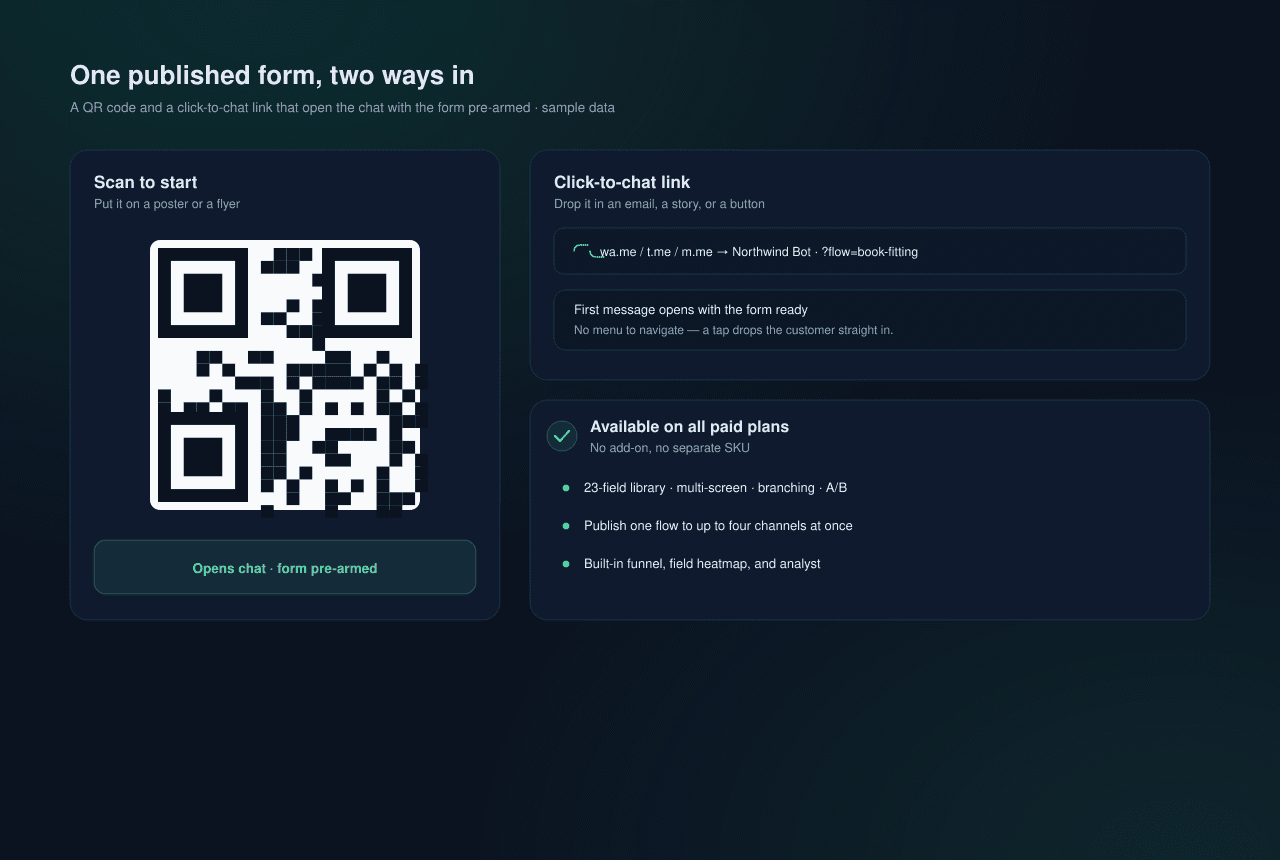
Turn any published form into a campaign asset: a click-to-chat link and a QR code that open the chat with the form pre-armed, so a tap from a poster, an email, or a story drops the customer straight into it on the first message.
Know why people drop off
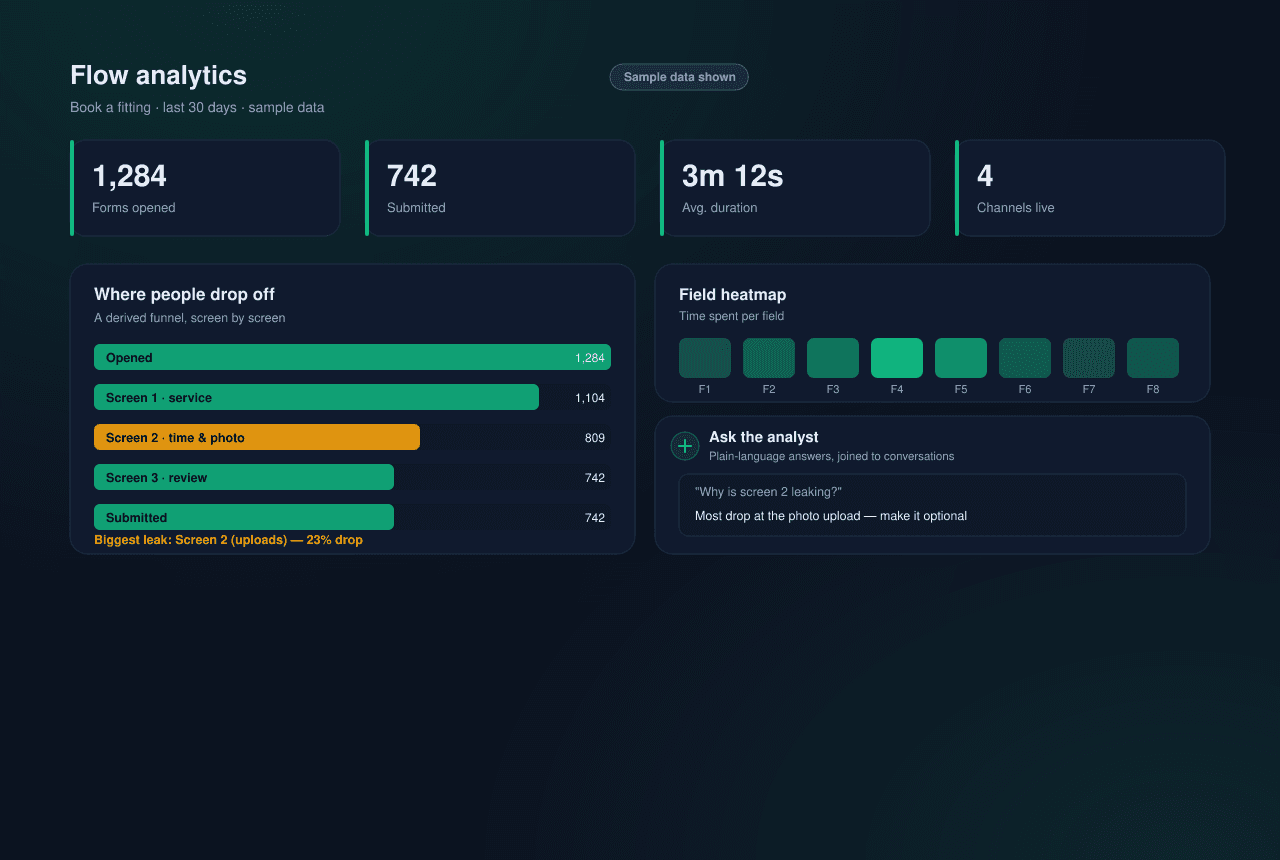
A KPI strip, a field-level heatmap, and a derived funnel show where submissions come from and where people abandon. And because every submission joins back to its conversation, you can ask the built-in analyst in plain language why a screen is leaking — not just stare at charts.
How an Agent Flow comes together
Five moves from an empty composer to a measured, in-conversation form.
Compose
Stack fields from the 23-field library across one or more screens — or describe the form in plain language and let the AI draft it for you to refine.
Branch
Wire screen-to-screen routing so the form reacts to earlier answers, and spin up A/B variants to test wording. Preview every screen as you build.
Publish
From the Distribute tab, push the flow to one channel or several at once, in each language you support. Edits stay private until you republish.
Let the agent send it
From then on the agent decides when the form fits — an explicit ask gets it straight away; a customer just circling the topic gets one confirming question first.
Read the funnel
Submissions land as structured data joined to the conversation. Watch the KPI strip and heatmap fill in, then ask the analyst what to fix next.
Use Cases
What teams build with Agent Flows
Book a demo or appointment
The agent qualifies the conversation, then hands over a date-and-time form to lock in a slot — no back-and-forth, no scheduling link to chase.
Take applications and intake
Job applications, loan or membership intake, onboarding questionnaires — multi-screen forms with uploads and branching that collect everything in one pass.
Collect quote and order requests
Capture the spec, the quantity, and the contact in a structured form the moment a prospect asks for a price, so sales gets a clean lead instead of a chat transcript.
Capture leads from a QR or link
Put a QR code on a poster or a click-to-chat link in an email or story — one tap opens the chat with the lead form pre-armed on the first message.
Run events and RSVPs
Registration, RSVPs, and feedback forms the agent offers in the flow of conversation, then measures so you can see exactly where signups stall.